
Now, let your
favorite agent
handle your closet.
Add clothes, find an outfit and keep a wear record in the conversation you already use.
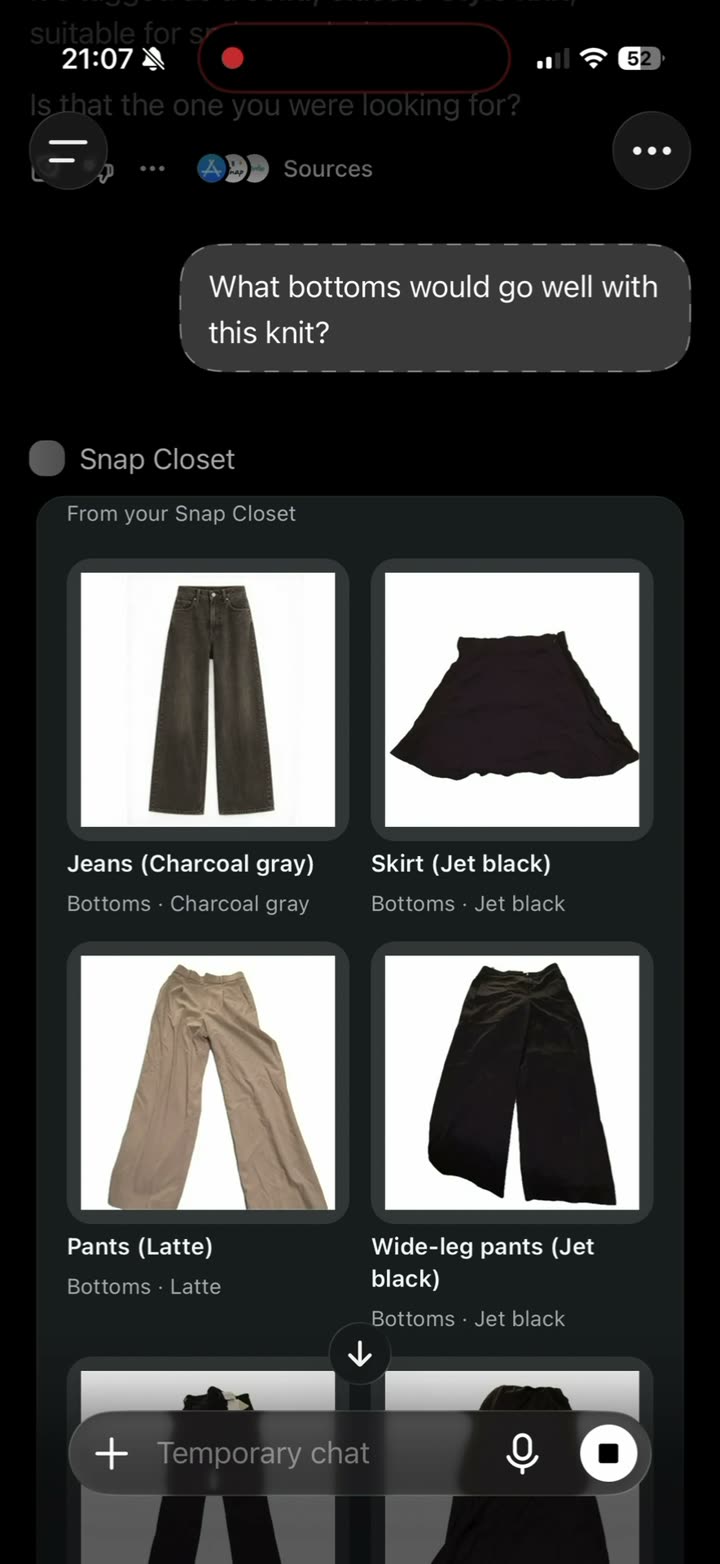
This demo was recorded in ChatGPT. Other agents may present their responses differently.
Two ways in. One closet.
Your personal agent
Claude / ChatGPT and more
Understands your request and uses its own model to add to the engine’s suggestions.
Snap Closet App
iOS / Android
Take photos, browse and organize with a simple visual interface.
A simple app. A richer conversation.
Snap Closet’s outfit engine suggests combinations for an occasion, temperature range or wish. Your agent can then use the plans and preferences you share to expand on those results. The app stays focused; the conversation can go further.
Your Premium benefits come with you.
Both entrances use the same closet data hosted by Snap Closet. Premium purchased in the app or on the web carries over, with no additional subscription.
Connect your agent
Connect Claude or ChatGPT to browse your clothes and discuss outfits in chat.
Claude can display your clothes as image cards in chat.
Connect in Claude
In the browser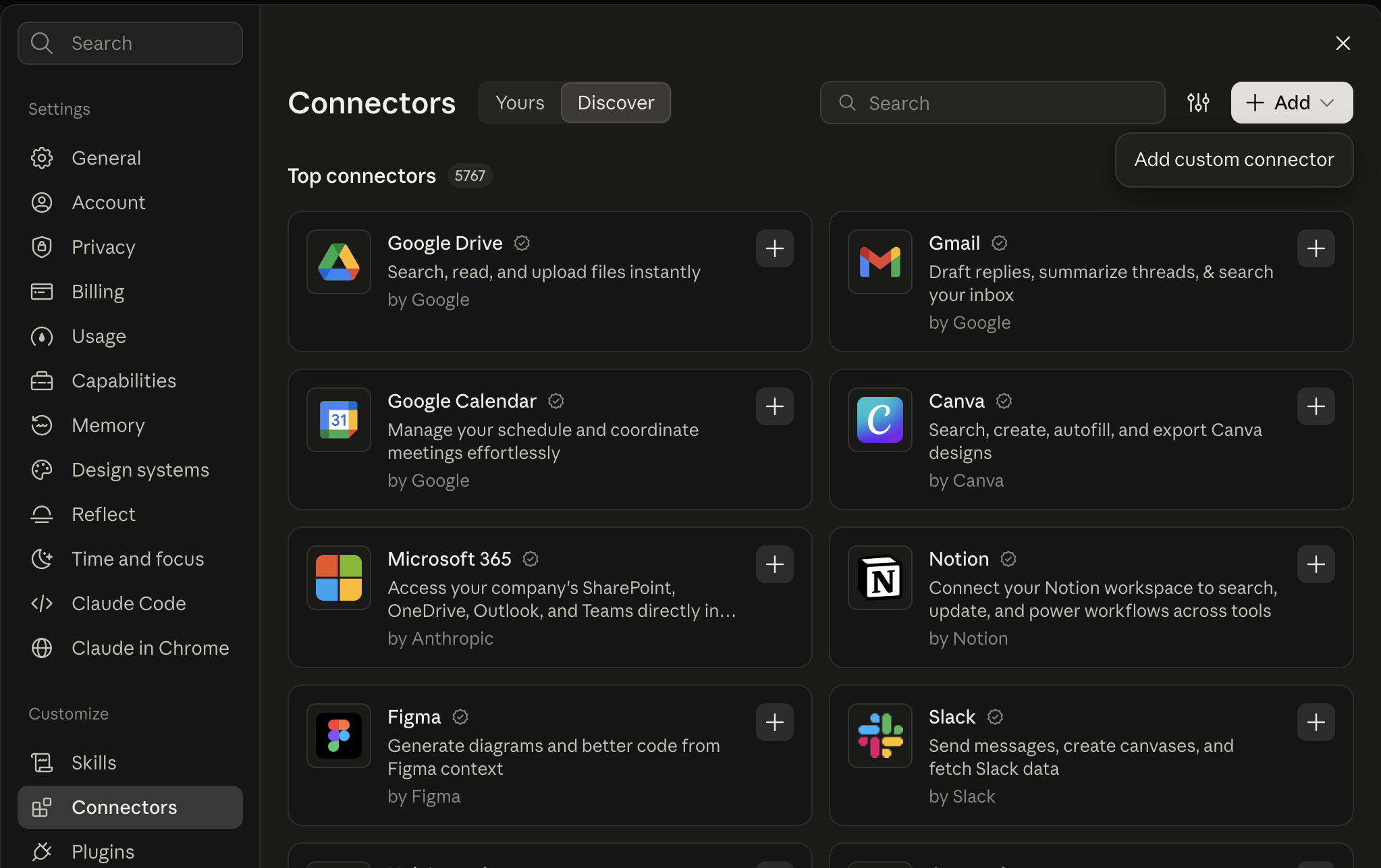
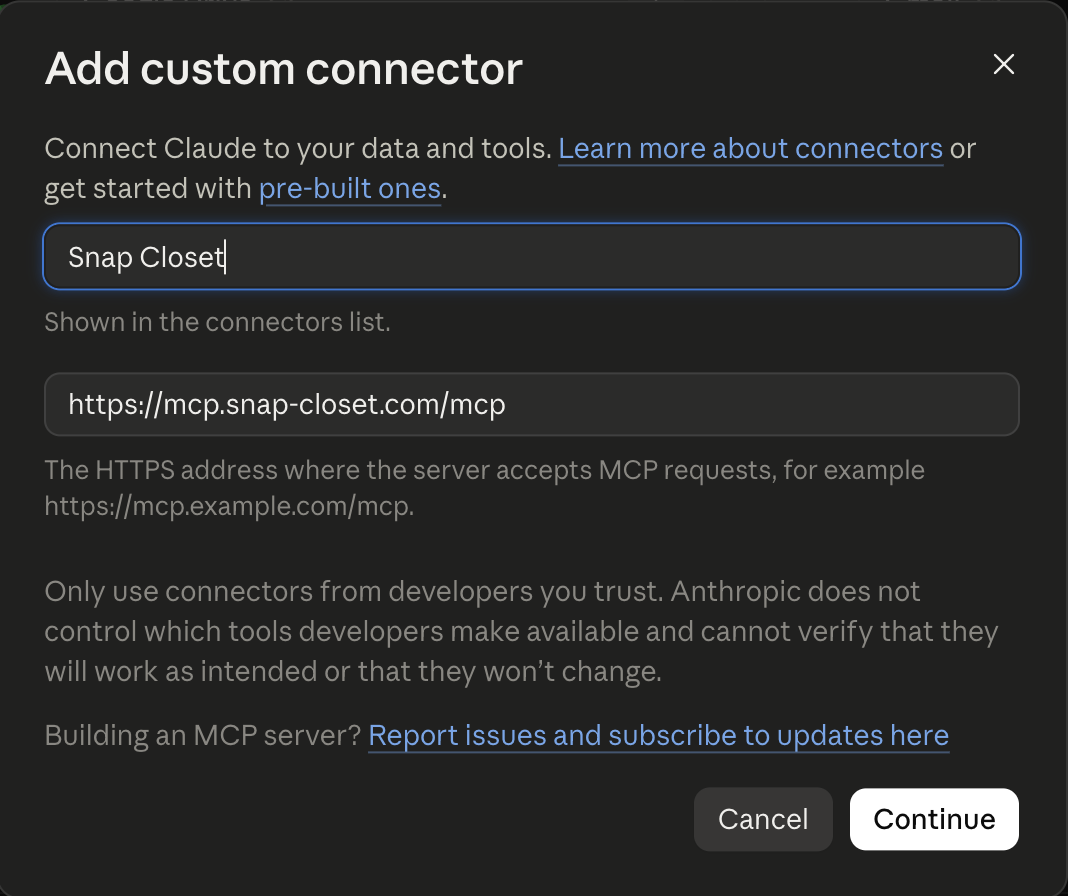
https://mcp.snap-closet.com/mcp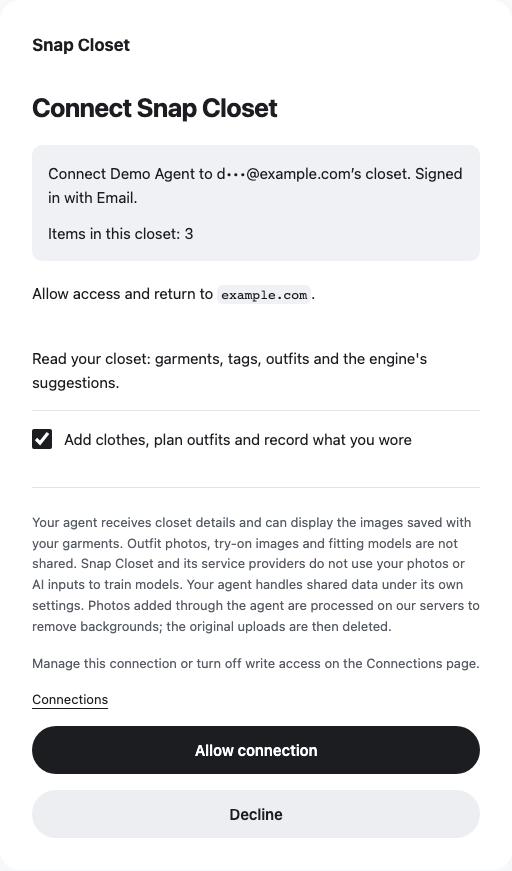
Use your existing Snap Closet sign-in method. Check that the account and closet are yours. Leave writing enabled to add clothes or save records, or turn it off for read-only access. Then allow the connection.
ChatGPT can display your clothes as image cards in chat.
Connect in ChatGPT
In the browser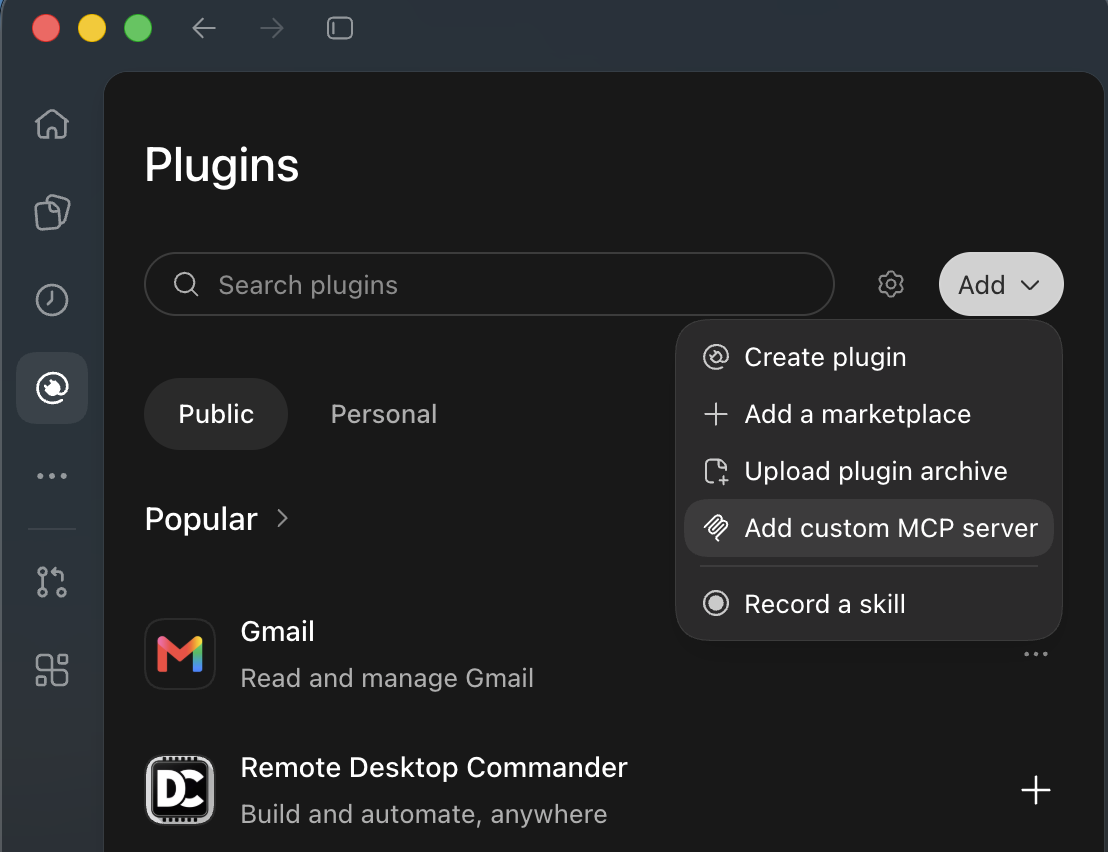
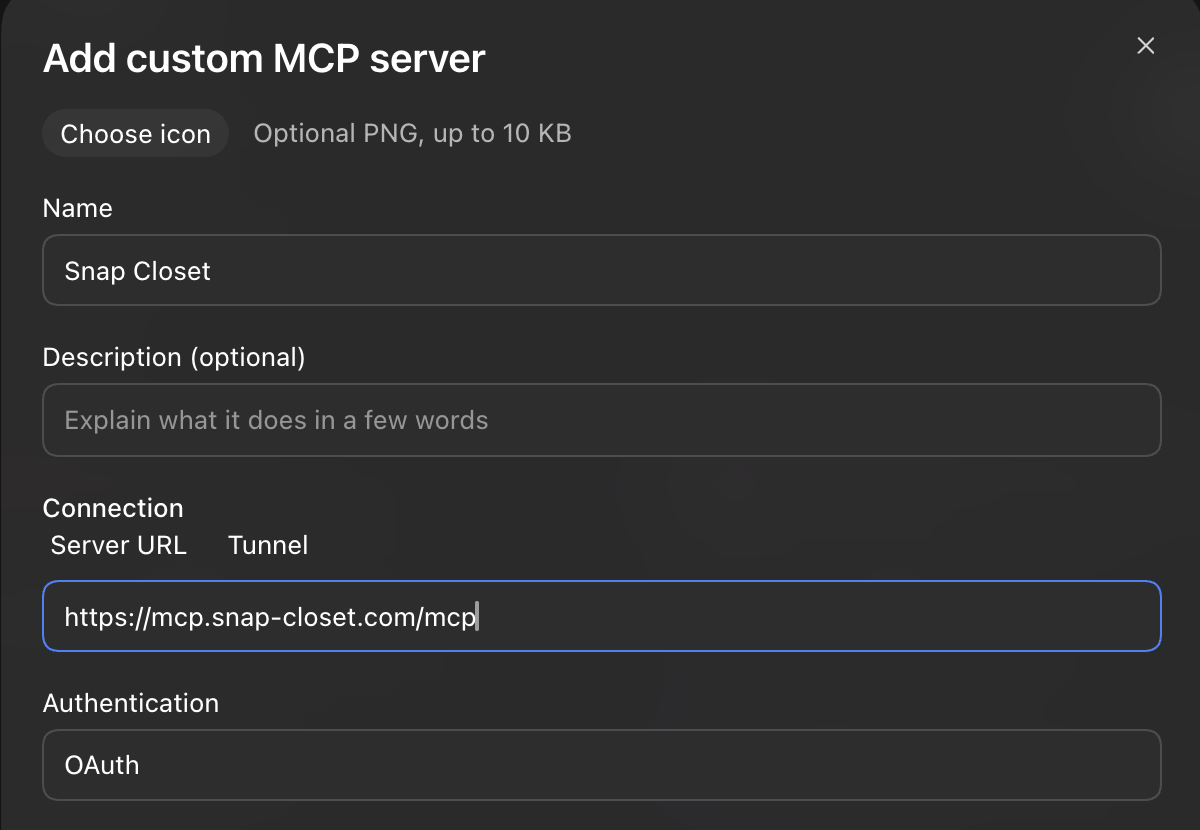
https://mcp.snap-closet.com/mcpUse your existing Snap Closet sign-in method. Check that the account and closet are yours. Leave writing enabled to add clothes or save records, or turn it off for read-only access. Then allow the connection.
Try your first conversation
Ask: “Show me an overview of my closet.” If it is empty, ask how to add your first garment.
If the connection does not work
My closet looks empty
Check that you used the same sign-in method as in the app. Email, Google and Apple sign-ins can refer to different accounts.
I cannot add clothes or save records
Check that this connection has write permission and writing is enabled in Manage connections. A read-only connection must be authorized again with write access.
I do not see the connector option
Check your agent’s plan and workspace policy. Ask the workspace administrator if custom connections are restricted.
You can also connect through the Codex or Claude Code terminal, but images may not display and the experience is less suited to browsing clothes than chat.
About your agent’s advice
Snap Closet provides the results returned by its own outfit engine. Your personal agent may interpret those results and add suggestions using its own model. Snap Closet does not control that additional output, and it does not represent Snap Closet’s views.